
Free Online AI Video Face Swap
Upload your video and a face image to swap faces in videos. Create stunning face swap videos with AI-powered technology. Try it for free today!
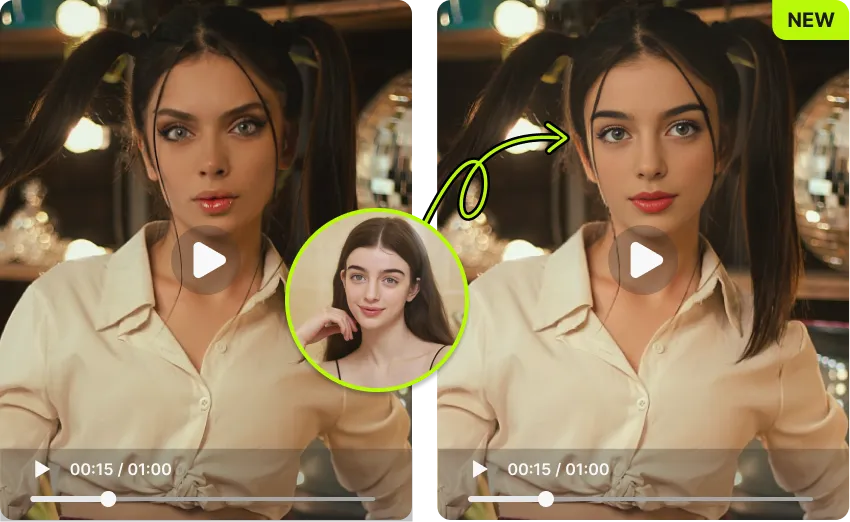
Free today: 5/5
How to Use FancyFace Video Face Swap
Use FancyFace's advanced AI tool to quickly swap faces in videos. Follow these simple steps to create unique and fun face swap videos in minutes.
Step 1: Upload Video
Upload the video where you want to swap faces. Our AI will analyze the video structure and locate all facial feature points automatically.
Step 2: Add Face Image
Upload the face image you want to use for the swap. Ensure the image is clear and front-facing for the best results.
Step 3: Swap Face
Click the "Face Swap" button and let FancyFace's AI work its magic. Your swapped video will be ready with natural and realistic results.
AI Video Face Swap FAQ
AI Video Face Swap is an AI-powered technology that replaces a person's face in a video with another's. It analyzes facial features, expressions, and lighting frame by frame to create smooth, natural-looking results throughout the entire video.
Video Face Swap uses advanced deep learning algorithms to process each frame of the video. It detects and tracks faces, maps key facial features, and applies the face swap while maintaining consistent lighting, skin tone, and expressions across all frames.
Yes, your privacy is a priority. Uploaded videos and generated results are deleted within 2 hours, and no personal data is collected during the process.
FancyFace supports MP4 and MOV formats. Videos up to 300MB with resolution ≤ 1080p, FPS ≤ 30, and duration ≤ 60 seconds can be processed.
Processing time depends on video length and resolution. Typically, a 30-second 720p video takes about 2-3 minutes. Longer or higher resolution videos will take proportionally more time.